

Customization
Write a translation dictionary
Write dictionary keys that change only the text you mean to change.
Set the dictionary with translation-dictionary and pick the language with language. See Translate embed content.
Dictionary shape
{
  "Total Sales": { "en": "Total Sales", "fr": "Ventes totales" },
  "Category": { "en": "Category", "fr": "Catégorie" }
}
The outer key is the source text. The inner key is the language. The type is Record<string, Record<string, string>> (publicTypes.ts:57).
How matching works
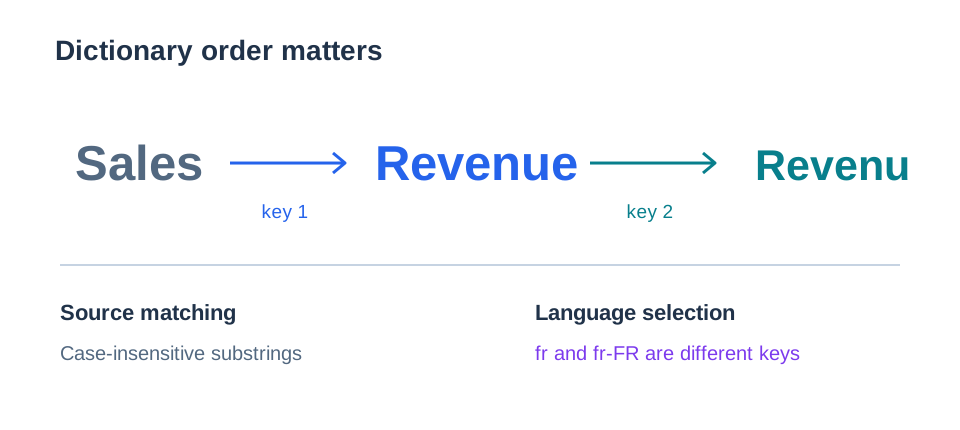
For each piece of text, the embed goes through your keys in the order you wrote them. For each key with a translation in the selected language, it replaces every match in the text (helpers/sqlUtils/metricTemplate.ts:18-38).
| Case | Result |
|---|---|
language or the dictionary is missing | Text does not change |
| A key has no translation for the language, or it is empty | That key does nothing |
| Source text has different capitals | It still matches. total sales matches Total Sales. |
| The key is part of a longer word | It still matches. Sale changes inside Wholesale. |
The key has characters such as . ( $ | They match as plain text |
The translation has $ | It shows as plain text |
Write safe keys
- Use full labels, not short fragments.
Salealso changesSalesandWholesale. - Do not let a translation contain another key. With
SalestoRevenueand thenRevenuetoRevenu,SalesbecomesRevenu. - Put longer phrases before shorter ones that they contain.
- Check each chart, table and card title after you add keys.
A translated value is display text only. Filters and queries still use the source values.
Next, style the embed.