

Finding Your IDs
Create an API token
Get the secret token your backend uses to create guest tokens for one data app.
Each data app has its own API tokens. A token works only for the data app it was made in.
Before you start
- You have an Embedded data app. Create a data app and embed
- You can edit the data app.
Steps
-
Go to Data Studio > Data Apps and open your data app.
-
Select the API tokens tab, then Generate API token.
-
Enter a Name, for example
Production backend. Names must be unique in the data app. -
Optional: enter a Description.
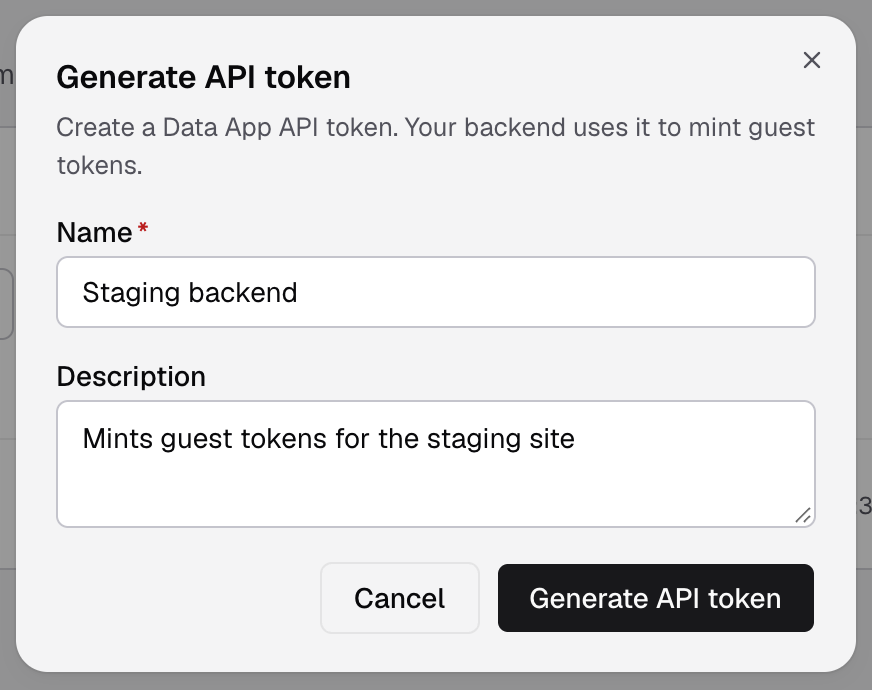
Name the token after the system that uses it, so you know which one to revoke later. -
Select Generate API token.
-
Select Copy token and save it in your backend’s secret store. You see the full token only once.
-
Select Done.
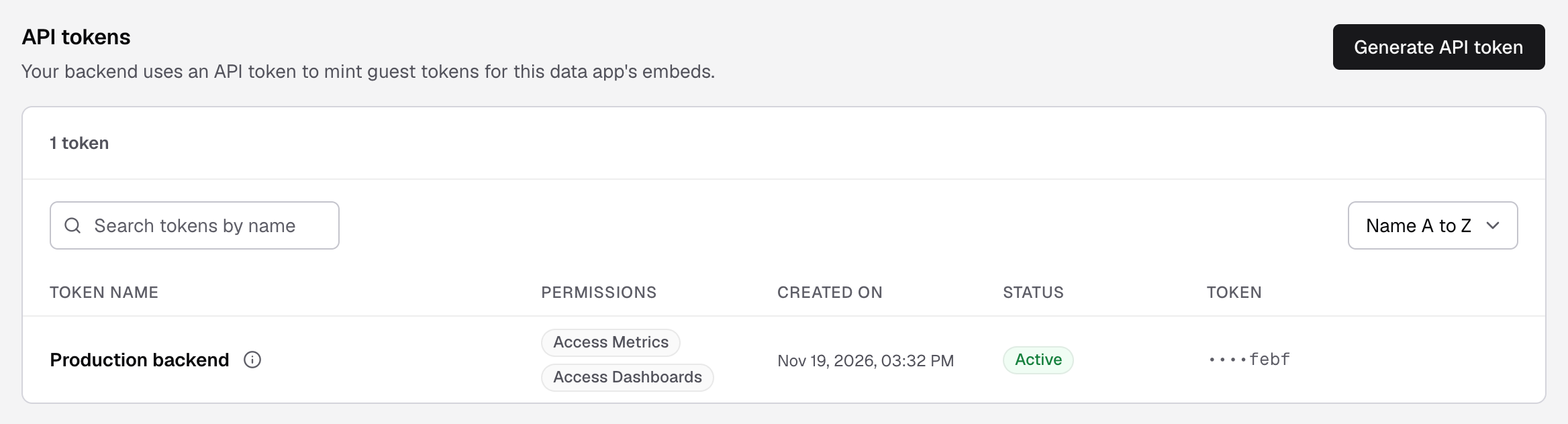
The token is in the list with the Access Metrics and Access Dashboards permissions and the status Active. The list shows only its last 4 characters.
Next, create a guest token with it:
curl -X POST https://api.usedatabrain.com/api/v2/guest-token/create \
  -H "Authorization: Bearer $DATABRAIN_API_TOKEN" \
  -H "Content-Type: application/json" \
-d '{ "clientId": "acme-corp", "dataAppName": "Customer Portal" }'If you lose the token
You cannot see it again. In the token’s row, open the actions menu and select Rotate token to get a new value. To stop a token for good, select Revoke token. API: Rotate API key.
If something goes wrong
- “An API token called ... already exists.” Pick a different name.
- The guest token request returns
AUTHENTICATION_ERROR. The token belongs to another data app, or it was revoked.