

Build
Archive and restore a metric
Take a metric off every dashboard without deleting it, and bring it back later.
Before you start
- To archive, your role has Archive on metrics. Admins and Editors have it by default.
- To restore, your role has Unarchive on Archive Metrics. Admins and Editors have it by default.
Archive a metric
-
Open the dashboard. Do not turn on Edit layout.
-
On the metric card, select More actions (the three dots).
-
Select Archive.
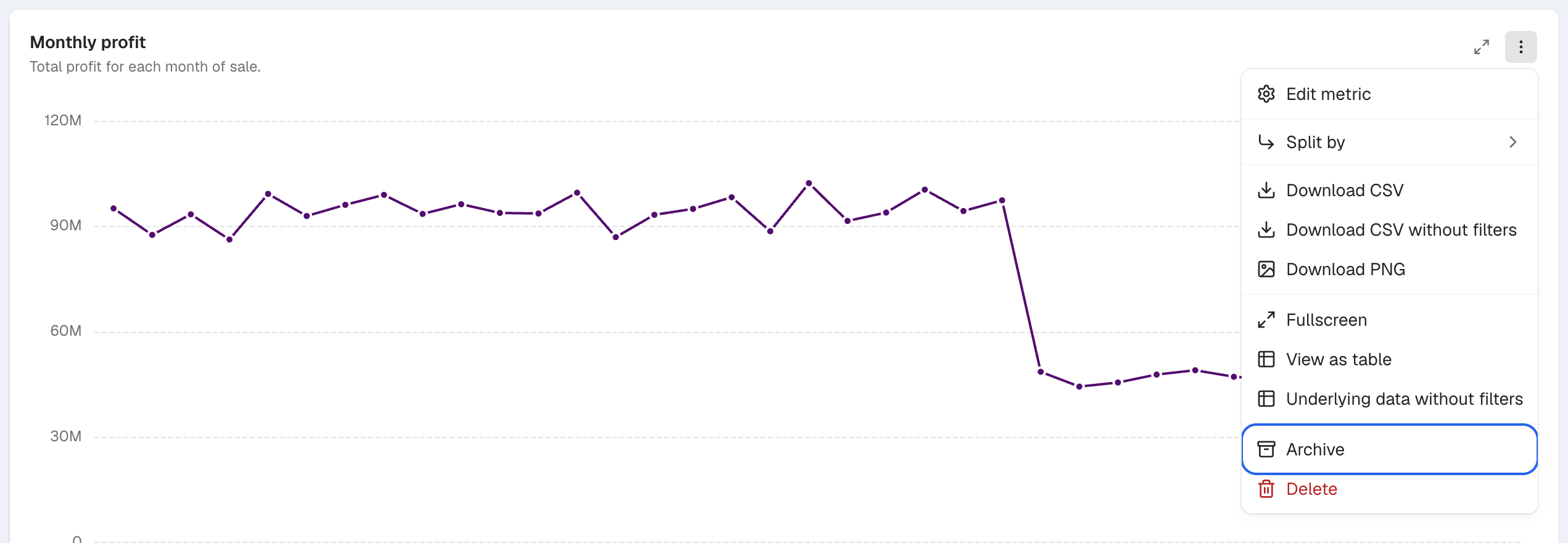
Archive is near the bottom of the card's More actions menu. -
In Archive this metric?, select Archive.
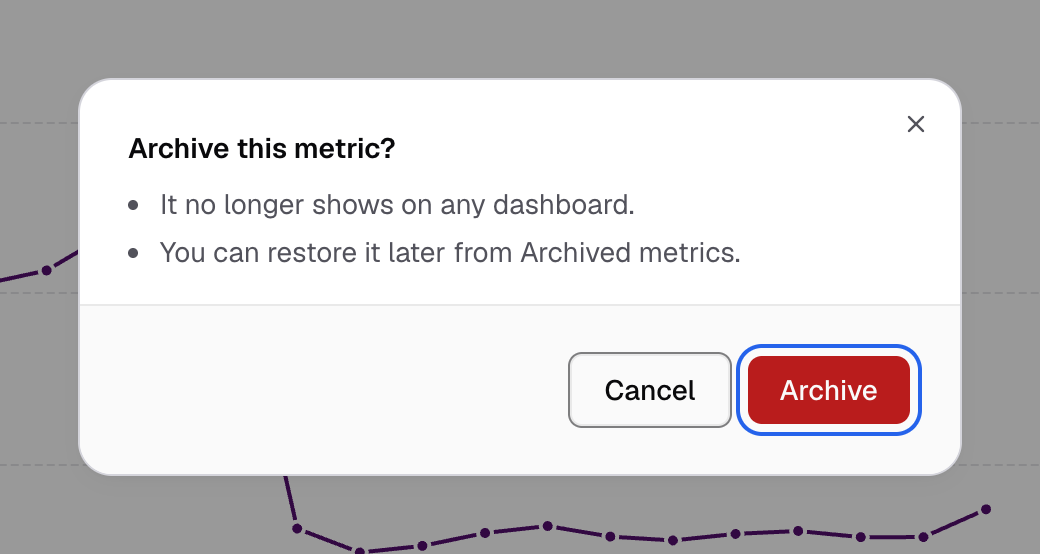
Confirm with Archive. You can restore the metric later.
The metric leaves every dashboard it was on. A Metric archived message shows with Undo. Select Undo to put it back where it was.
You can also archive from Home > Metrics: open the row’s Metric actions menu and select Archive.
Restore an archived metric
-
Go to Data Studio > Build > Archived Metrics.
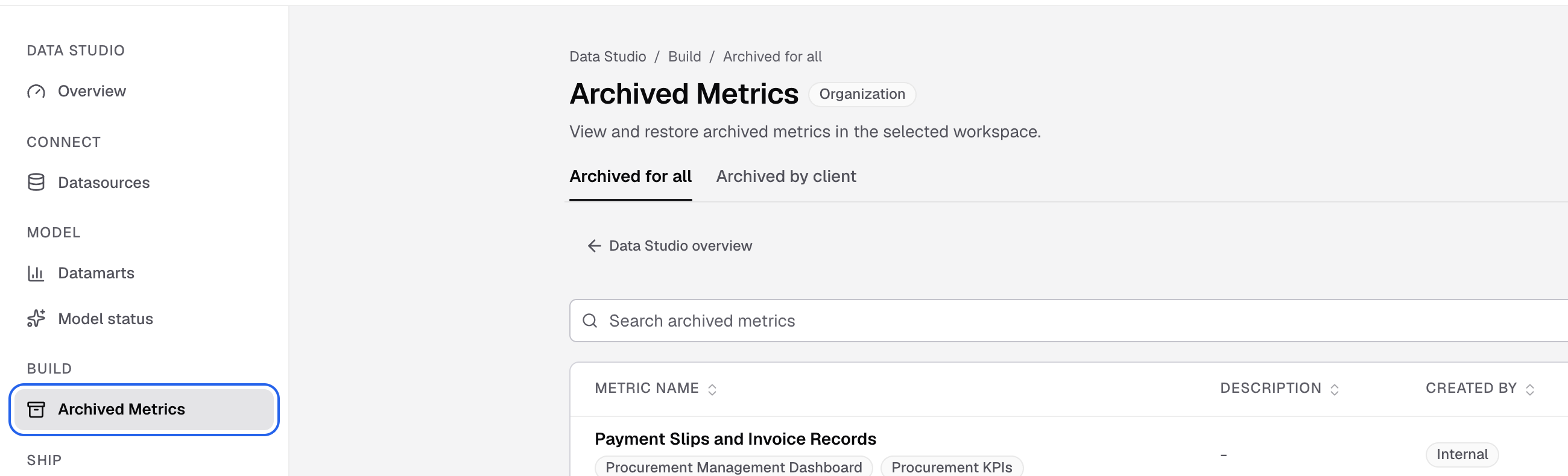
Archived Metrics is under Build in the Data Studio sidebar. -
In Workspace, select the workspace.
-
Find the metric in Archived for all.
-
Select Unarchive.
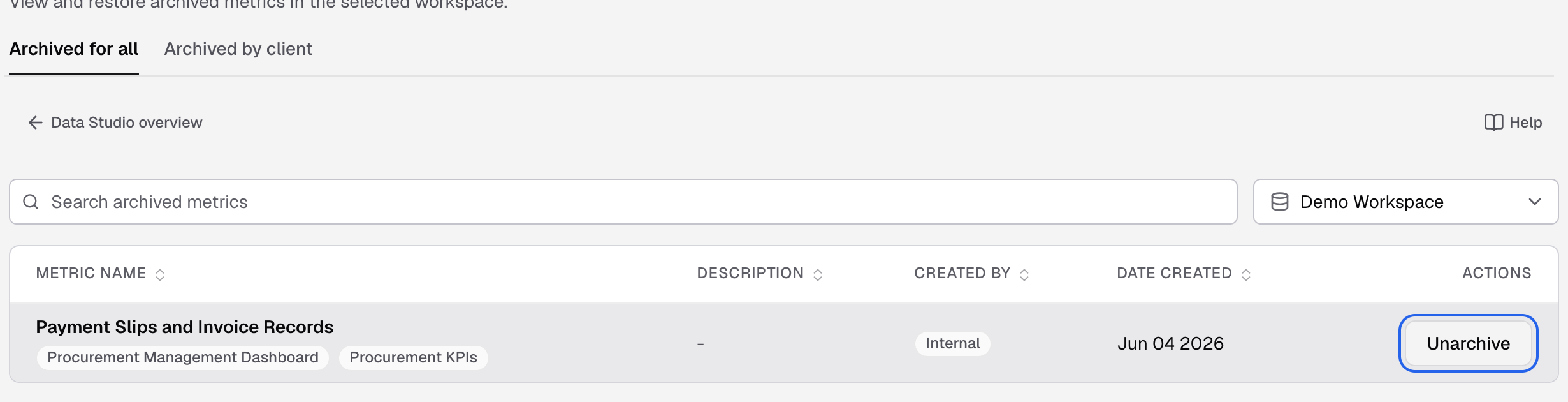
Point at the metric's row to show Unarchive. -
In the dialog, select Unarchive metric.
You see Restored: and the metric name. The metric goes back to the Metric Store. It does not go back to its old dashboards. To put it on a dashboard again, select Browse active metrics and publish it. See Metric Store.
Metrics your end users hid
The Archived by client tab lists the metrics that end users hid from their own embedded dashboard. Pick a client to see its list. Select Unarchive to show the metric to that client again. You need View Client Metrics on Archive Metrics to see this tab.
End users hide metrics in the Manage Metrics dialog of their embedded dashboard. They can hide a metric when:
- the dashboard’s embed access settings have Manage Metrics and Archive Metrics on, and
- the metric has Allow end user to archive metric on, in Save to dashboard > Advanced options. It is on by default for a new metric.
If something goes wrong
- This metric depends on other elements in the dashboard. Another card or element uses this metric. Remove that link, then archive again.
- Archive is not in the menu. Turn off Edit layout, or ask an Admin for the Archive permission. Cards a client made cannot be archived here.