

Data Studio
Check your data pipeline
See in one page whether a workspace's data is connected, modelled, scoped and shipped, and what to fix next.
Data Studio > Overview shows the health of one workspace, from datasource to data app, and the next action to take.
Before you start
- Your role has the datasource View permission. Without it, Data Studio opens Datamarts or Data Apps instead.
Open the overview
- Select Data Studio in the top bar. The Overview opens.
- Pick the workspace in the menu next to the title.
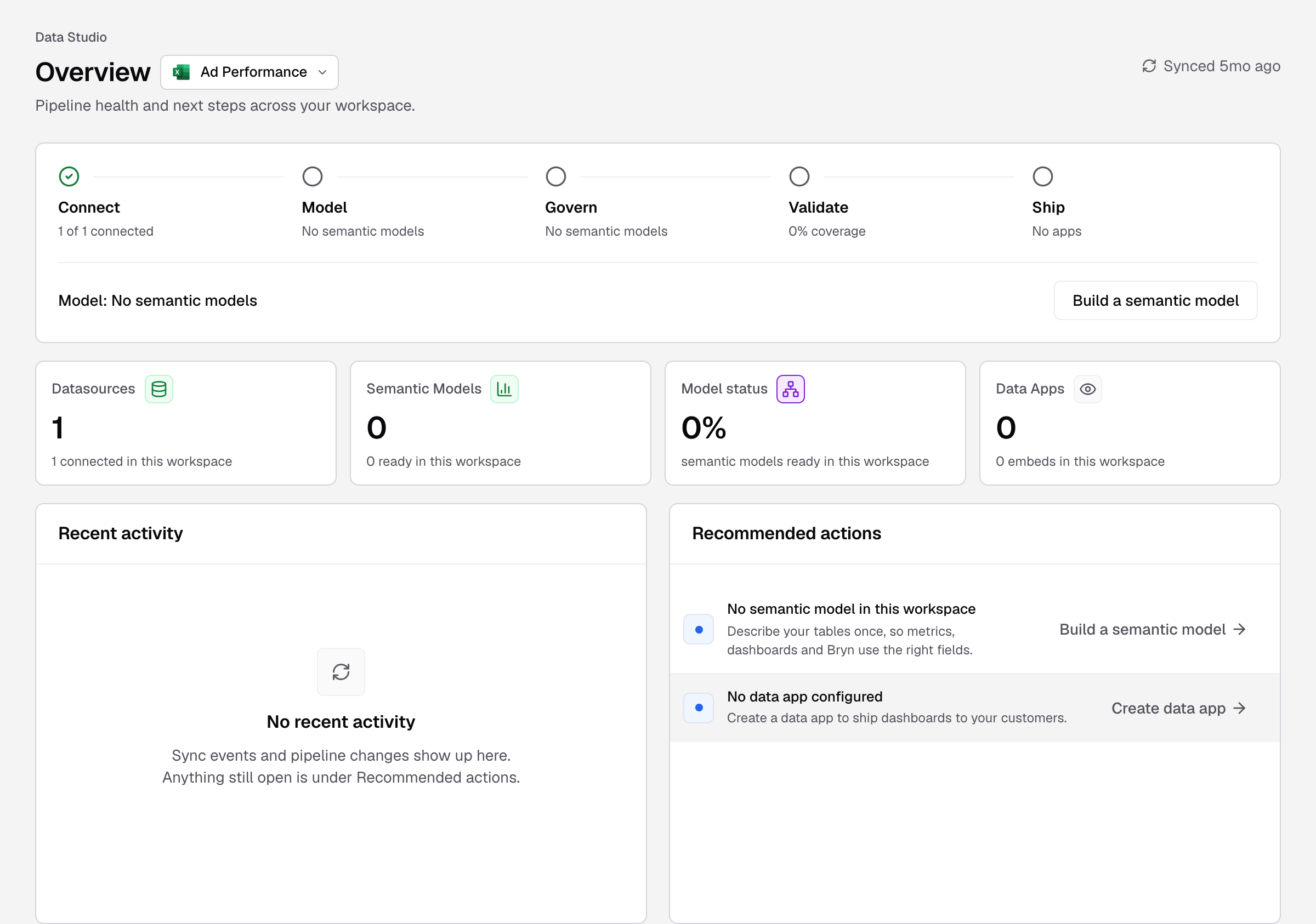
Synced at the top right shows the last schema sync across the workspace’s datasources.
The five stages
| Stage | It shows | It is done when |
|---|---|---|
| Connect | 1 of 1 connected | Every datasource in the workspace is connected. |
| Model | How many datamarts are ready, for example 2 ready, or No datamarts | The workspace has a datamart. |
| Govern | Tenancy level set, or how many datamarts have none | Every datamart has a tenancy level. |
| Validate | Coverage, for example 80% coverage | At least 80% of datamarts are ready: a tenancy level and at least one table. |
| Ship | The number of data apps, or No apps | The workspace has a data app. |
The line under the stages names the first stage that needs work, with a button to fix it, for example Create datamart or Fix connection. When all stages are done, it says Everything is live.
The cards
Each card opens its page: Datasources, Datamarts, Model status and Data Apps. If your company uses Semantic Models, the Datamarts card is called Semantic Models.
Recent activity and Recommended actions
- Recent activity lists syncs: Sync completed and Sync issue.
- Recommended actions lists open problems with a button for each, for example Fix connection, Add tenancy, Create datamart or Create data app. The badge shows All clear when nothing is open.
The Data Studio menu
| Group | Pages |
|---|---|
| Data Studio | Overview |
| Connect | Datasources |
| Model | Datamarts and Model status, or Semantic Models |
| Build | Archived Metrics |
| Ship | Data Apps |
Data health checks moved to Settings > Diagnostics.
An empty workspace
A workspace with no datasource shows Connect your first datasource. Select it to connect a datasource.