

Connect
Sync a datasource
Re-read your datasource's schema so new tables and columns show up in Databrain.
A sync re-reads the tables and columns of your datasource. Run one after you add tables, add columns or change permissions in your database.
Before you start
- You are an Admin or a Developer, or your role has the datasource Sync permission.
Sync from the Datasources list
-
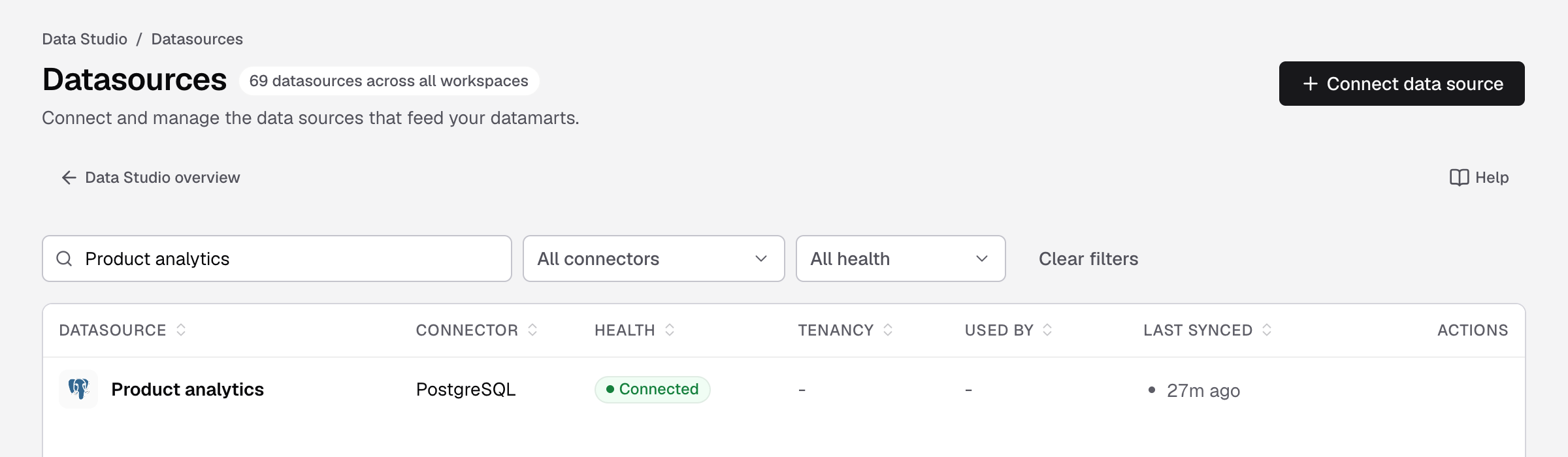
Go to Data Studio > Datasources.
-
In the datasource’s row, select the sync icon (Sync schema).

Point at the row to show its actions. The first one is Sync schema.
The icon shows progress while it runs. You see Schema synced. when it is done. Last synced shows the time.
Sync from the datasource page
-
Go to Data Studio > Datasources and open the datasource.
-
Select Sync now at the top right. It changes to Syncing... and a Syncing schema bar shows progress.

Sync now is next to the more menu, at the top right of the datasource page.
The time under the datasource name updates when the sync is done.
Sync on a schedule (Amazon S3 only)
Amazon S3 is the only connector that syncs on a schedule. Every other connector syncs only when you run a sync.
- Open the Amazon S3 datasource.
- Select Sync interval.
- Under Interval, select
Manual,15 minutes,30 minutes,1 hour,6 hoursor1 day. - Select Save.
You need the datasource Edit Credentials permission to change the interval.
If something goes wrong
- Sync failed. The message says why, often a permission or connection problem. Fix the connection on the datasource’s Connection tab, then sync again.
- Sync stopped reporting progress. Try again. Select the sync icon again.
- A last-synced time is shown with a warning. The last sync is older than 7 days, so Databrain’s copy of the schema may not match the source. Sync again.
- A new table still does not show. Check that the database user can read it. See the grants on your connector’s page.