

LLM Configuration
Choose where AI answers come from
Pick Databrain AI or your own model keys for your whole organization, and know what data the AI sees.
One choice covers your whole organization. Bryn, copilot, natural-language questions and metric summaries all follow it.
Before you start
- You are an Admin. Other people see the choice but cannot change it.
- For Custom AI, you have at least one LLM in Settings > LLMs. See Connect an LLM.
Use Databrain AI
- Go to Settings > LLMs.
- In Where AI answers come from, select Databrain AI.
- Read the notice and select Use Databrain’s AI.
You see “Databrain AI now answers for your organization.” Nobody needs a key.
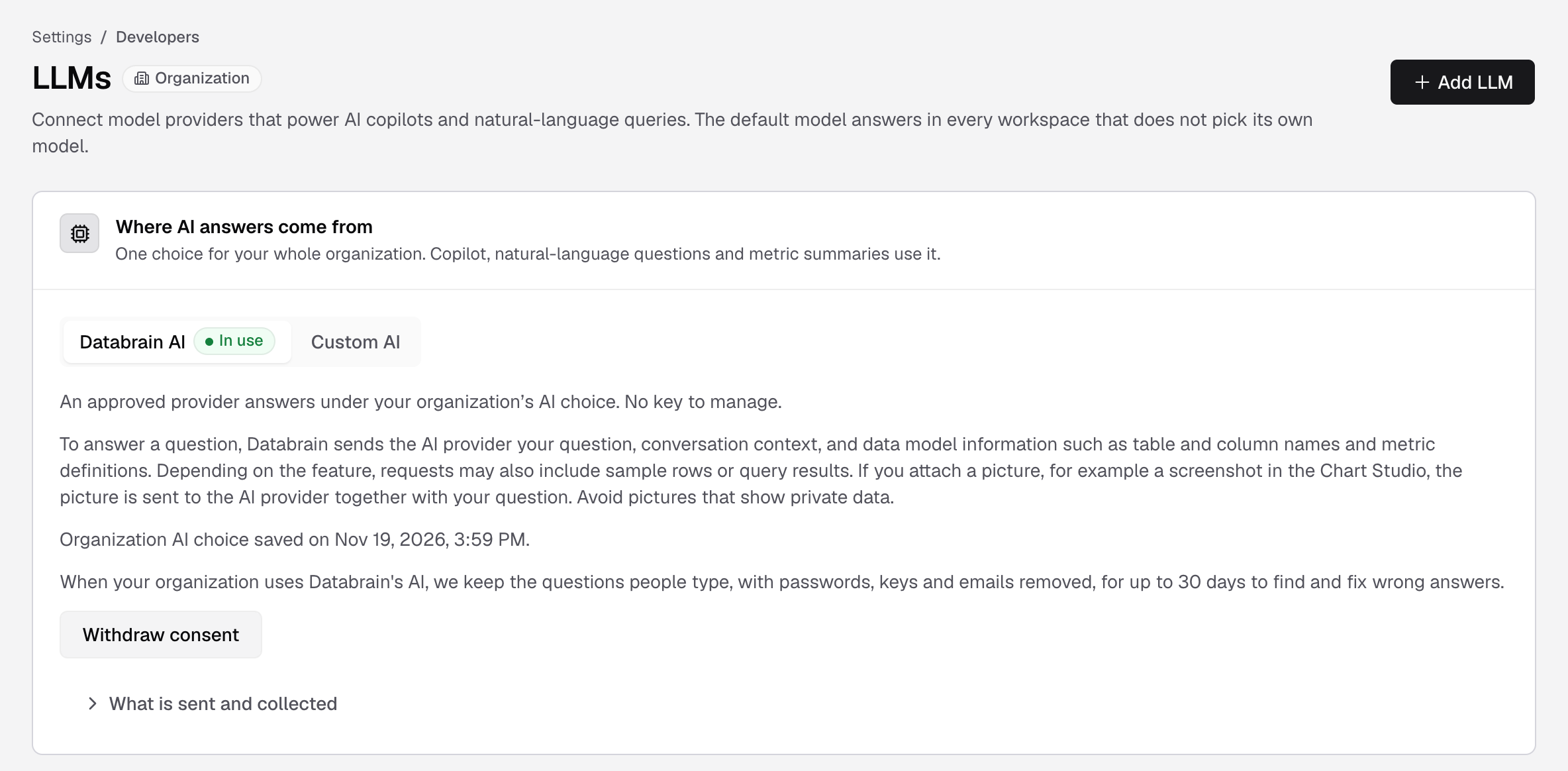
If the notice changes after you agreed, the card says “The AI notice or policy changed since you agreed. Confirm again to keep using it.”
Use your own keys
- Go to Settings > LLMs.
- In Where AI answers come from, select Custom AI.
- Select Use your own keys.
You see “Your own keys now answer. Databrain AI is off.” Requests go only to the provider accounts you connected.
Stop Databrain AI
- On the Databrain AI side, select Withdraw consent.
- Select Withdraw consent again to confirm, or Keep consent to cancel.
New requests to Databrain’s model stop for everyone. Data already sent cannot be recalled. Your own model is not affected.
What the AI sees
| Databrain AI | Custom AI | |
|---|---|---|
| Who receives it | Databrain’s approved AI providers | Only the provider and account you connect |
| Sent | Your question, conversation context, and data model information such as table and column names and metric definitions | Prompts and conversation context, schema, table and column metadata, and metric definitions |
| Sometimes sent, by feature | Sample rows or query results | Sample rows, SQL queries, query results and tool outputs |
| Pictures you attach | Sent with the question | Sent to your provider |
| Never added | Saved warehouse passwords and Databrain session tokens | Saved warehouse passwords and Databrain session tokens |
| Kept by Databrain | The questions people type, with passwords, keys and emails removed, for up to 30 days, to find and fix wrong answers |
Secrets that you type into a prompt or that are in your data can be sent with that content. Select What is sent and collected on the card for the full text.
On a self-hosted instance, Databrain AI is never offered. Bryn uses only your own models.