

LLM Configuration
Connect Mixtral
Use a Mixtral model on any host with an OpenAI-compatible API for Bryn, copilot and natural-language questions.
Before you start
- Your role has LLMs > Edit. Admins have it.
- The base URL of the OpenAI-compatible API, for example
https://<your-provider>.ai/v1, and its API key. - Databrain can reach the URL. On Databrain cloud, the endpoint must be on the public internet.
Steps
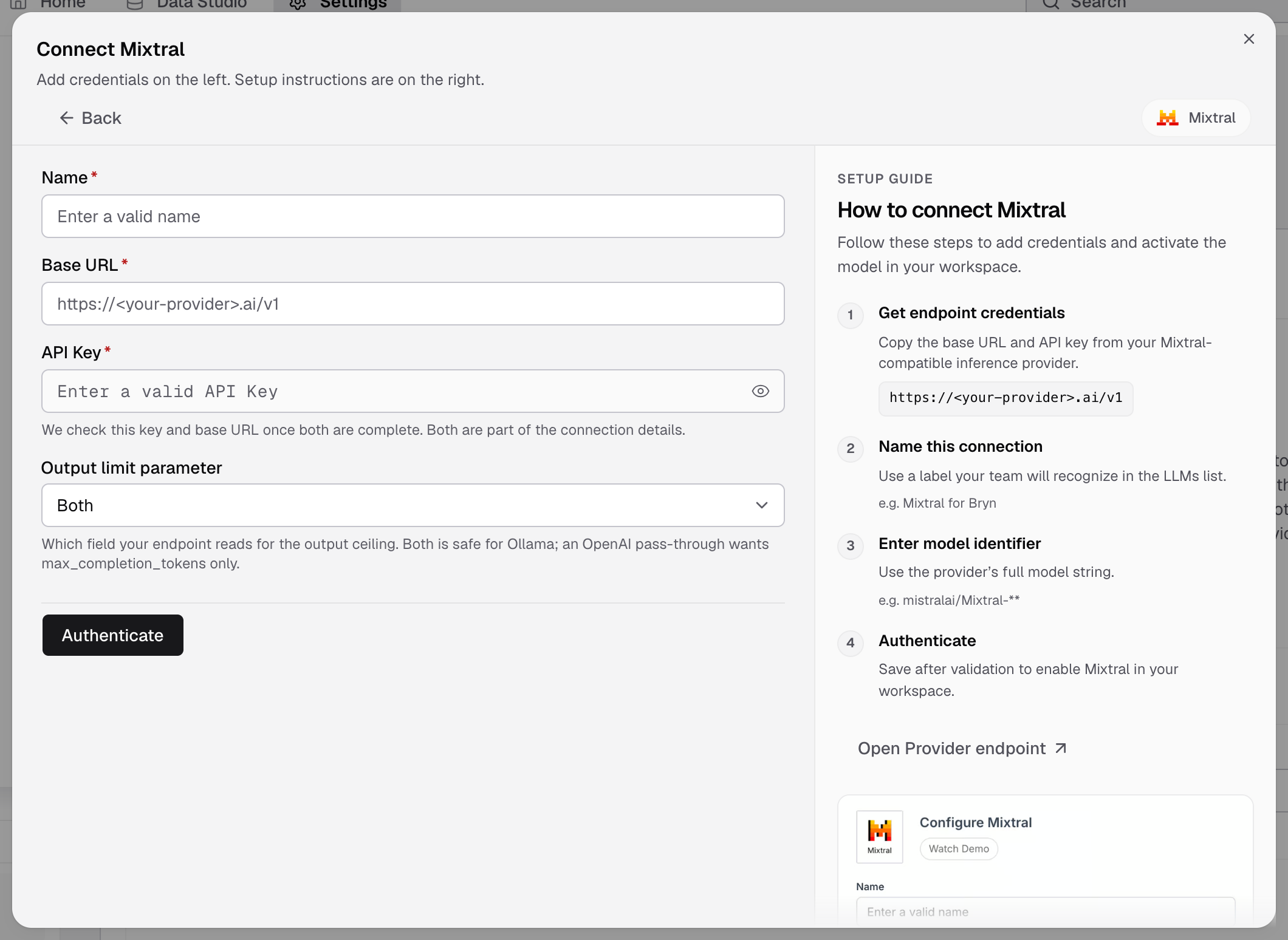
- Go to Settings > LLMs and select Add LLM.
- Select Mixtral.
- In Name, enter a name, for example
Mixtral for Bryn. - Enter the Base URL and the API Key. Databrain checks them once both are complete.
- If the server does not list its models, enter the Model names: the full model name your provider expects.
- In Output limit parameter, pick the field your endpoint reads for the output limit:
- Both: safe for Ollama.
- max_completion_tokens: for an OpenAI pass-through.
- max_tokens: for endpoints that read only this field.
- Select Authenticate.
The LLM shows as a card in Settings > LLMs with its models.
If something goes wrong
- The check fails. Make sure the base URL ends with the API version path (often
/v1) and that the key is valid. - Answers stop early or the provider refuses the request. Change Output limit parameter to the field your endpoint reads.
- No models show. Enter the Model names by hand.
Next, set the default model.