

LLM Configuration
How Databrain picks an AI model
Which model answers Bryn, copilot and natural-language questions, and how to change it.
Bryn (the Databrain AI assistant), the metric copilot, natural-language questions and metric summaries all use one AI model per request. Your organization decides where that model comes from.
Two sources
| Databrain AI | Custom AI | |
|---|---|---|
| What answers | An approved provider that Databrain runs | Your own provider key: OpenAI, Claude, Azure OpenAI, Gemini, Llama, Mixtral or any OpenAI-compatible endpoint |
| Keys | None to manage | You add them in Settings > LLMs |
| Needs | An Admin agrees to the AI notice | At least one connected LLM |
| Where data goes | Databrain’s approved AI providers | Only the provider and account you connect |
You pick one for the whole organization in Settings > LLMs > Where AI answers come from. See Choose where AI answers come from.
On a self-hosted instance, Bryn uses only the models you connect.
Which model answers a request
Databrain takes the first of these that is set:
- The model a person picks in the Bryn composer for that request.
- The workspace model, in workspace settings under Models.
- The model the person picked and saved earlier.
- The company Default model in Settings > LLMs.
- The oldest connected LLM.
- Databrain AI, if your organization uses it.
If none of these is set, Bryn says “Bryn needs an AI model to answer”. Connect an LLM, or turn on Databrain AI.
Set the default model
- Go to Settings > LLMs.
- In Where AI answers come from, select Custom AI.
- Under Default model, pick a model. Or select Set default on an LLM card.
The default answers in every workspace that does not pick its own model.
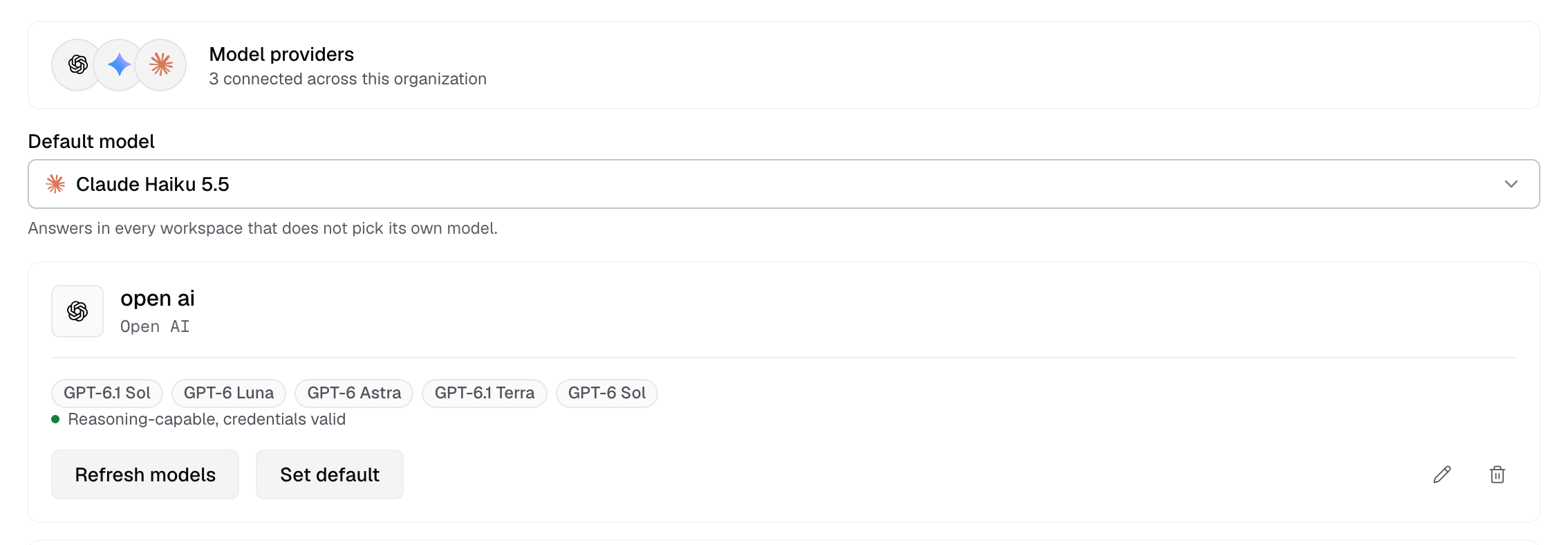
Pick a model for one workspace
- Open the workspace switcher and select the pencil next to the workspace to open its settings.
- Open Models and pick a Model. Company default follows the default model above.
You need the LLM permission in the workspace’s general settings to change this.
Embedded AI
Embedded end users who ask questions with Bryn in an embed use your connected LLMs. Databrain AI does not answer for a guest token. See Turn on Bryn for an embed.
Errors from Bryn
| Message | What to do |
|---|---|
| “Bryn is not in your plan.” | Bryn needs a plan that includes it. Contact Databrain. |
| “Bryn needs an AI model to answer.” | Connect an LLM or turn on Databrain AI. |
| “Databrain’s model is off for your company.” | An Admin agrees to the AI notice, or you use Custom AI. |
| “The free Bryn credits are used up.” / “This month’s credits on Databrain’s model are used up.” | Connect your own LLM, or wait for the next month. |
| “AI is not available right now.” | The provider did not answer. Try again. Error code DBN-AI-001. |
Next, connect an LLM.