

Core Concepts
Data apps
Package dashboards and metrics for one product, and decide where your customers see them.
What is a data app?
A data app is the container your embeds live in. It holds the dashboards and metrics you share, the API tokens your backend uses, the sites the embeds may load on, and the theme. Its type decides where the embeds are delivered: inside your product, in Slack or in Microsoft Teams.
Make one data app per product or customer portal, for example Customer portal.
Types of data app
| Type | Where customers see it | Plan |
|---|---|---|
| Embedded | Inside your product, with the <dbn-dashboard> or <dbn-metric> web component | Enterprise, or a trial |
| Slack | In Slack, where your team can ask Databrain questions | Every plan |
| Microsoft Teams | In Microsoft Teams | Every plan |
What’s inside a data app
An Embedded data app has these tabs:
| Tab | What it holds |
|---|---|
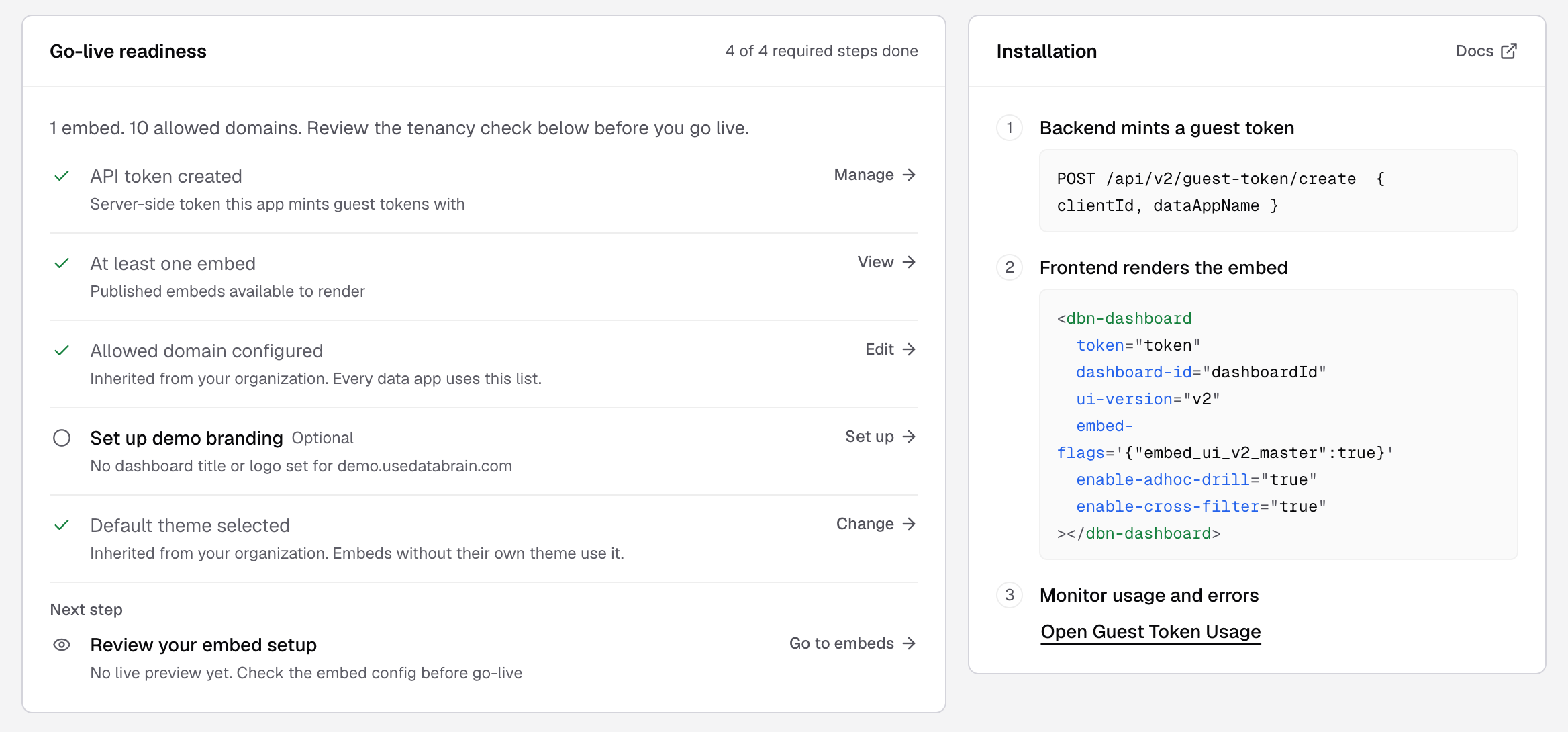
| Overview | The Go-live readiness checklist and the install steps |
| Tenancy | Checks that each client sees only their own rows |
| Embeds | The dashboards and metrics this app can show, with Get snippet for each |
| API tokens | The keys your backend uses to create guest tokens. A key is shown once |
| Domains | The sites your embeds may load on. Every data app in your company uses this list |
| Demo branding | The title and logo for your demo page |
| Theme | The look of embeds that have no theme of their own |
| Reports | Scheduled reports |
Draft and Live
A new data app is Draft. It turns Live as soon as it has at least one embed. Live does not mean customers can see it yet: your backend still needs an API token and your page needs the snippet. See Embedding architecture.
Create a data app
Before you start, you must be an Admin or a Developer, or have the data app Create permission. You also need a workspace with a dashboard.
- Go to Data Studio > Data Apps and select Create data app.
- Enter an App name, for example
Customer portal. - Select the Data app type and the Workspace.
- Select Create data app.
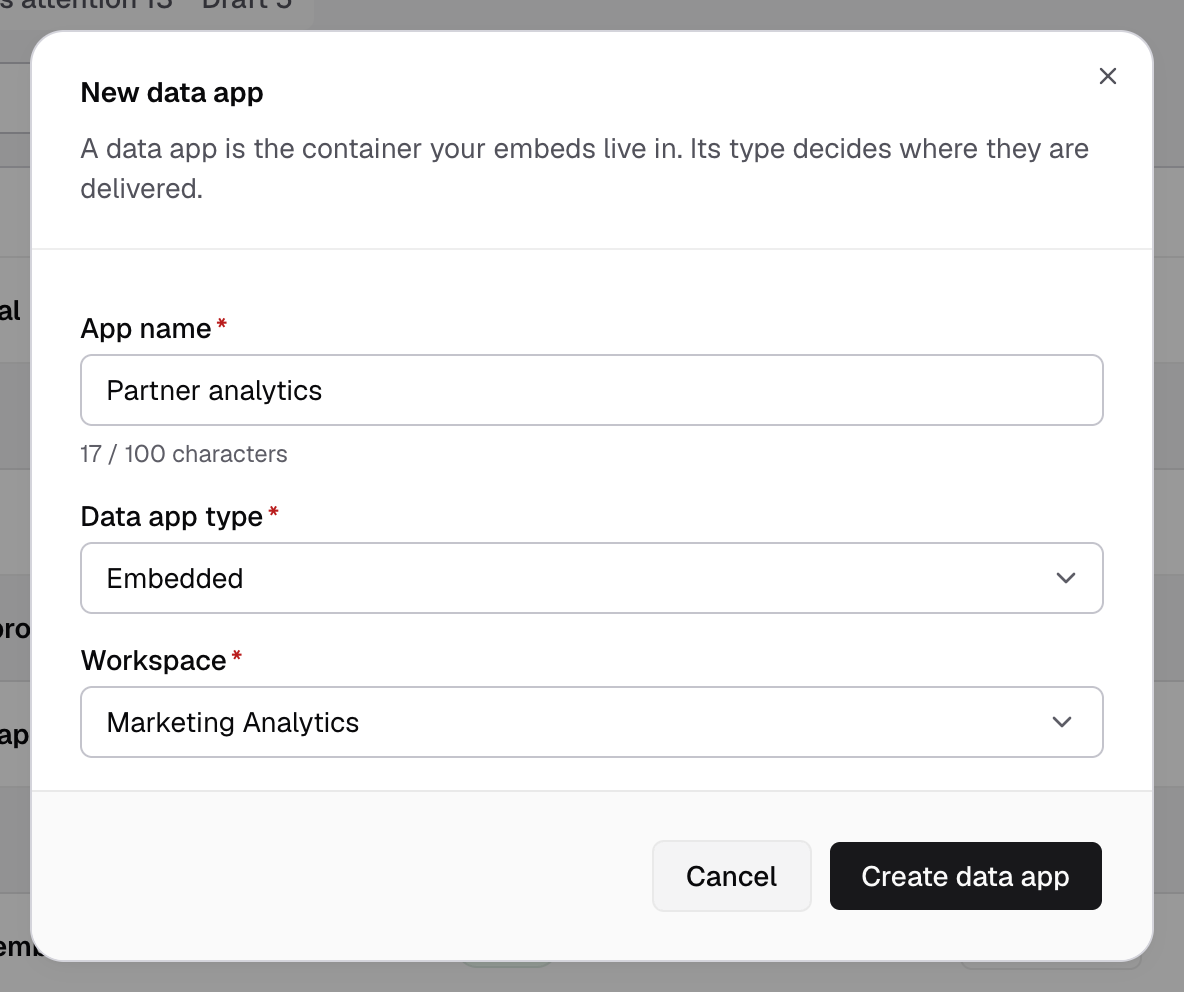
An Embedded app opens on its Overview. Slack and Teams apps open their setup page.
Add an embed
An embed binds one dashboard, or one metric from it, to the data app.
- Open the data app and select the Embeds tab.
- Select Add embed.
- Select the Workspace, the Embed type (Dashboard or Metric) and the Dashboard.
- Select Create embed.
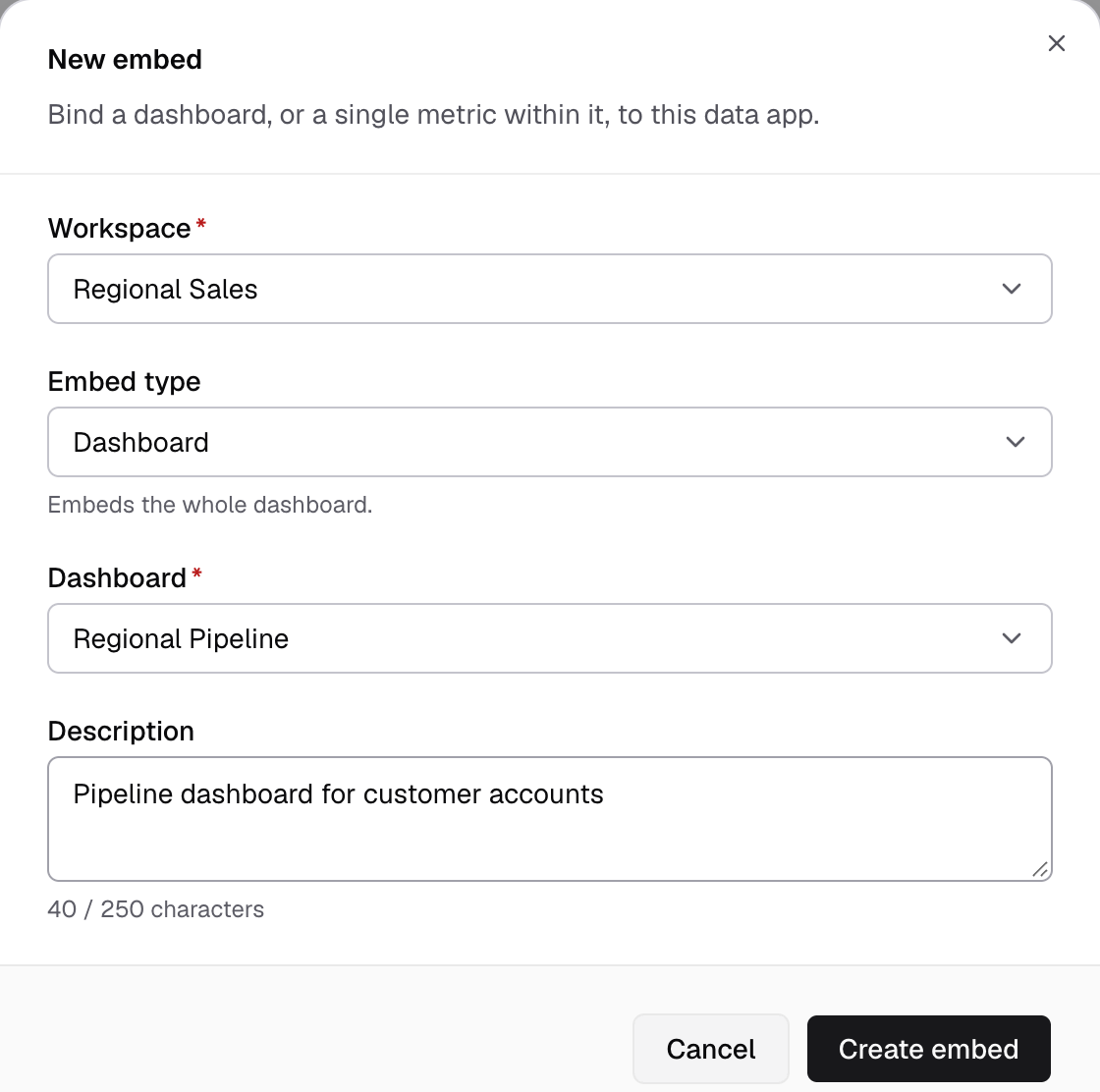
You see Embed created. Select Get embed code to copy the snippet into your app.
If something goes wrong
- Embedded data apps are available on Enterprise. Your plan does not include embedding. Slack and Teams data apps still work.
- Another data app already has this name. Pick a different name.
- This workspace has no dashboards. Create a dashboard first.
Next steps
- Embed a dashboard in your product, with the code.
- Embedding architecture: how the guest token keeps each customer’s rows apart.