

Core Concepts
Datamarts
Choose the tables, columns and joins people can use, and how they are scoped per customer.
What is a datamart?
A datamart is a curated view of one datasource. It holds the tables and columns people can use, how those tables join, and which customer each row belongs to. Metrics, dashboards and Bryn read from it instead of the raw warehouse.
A datasource is the connection. A datamart is what you choose to expose from it. A workspace can read a datasource directly, but a datamart gives you control and tenancy in one place.
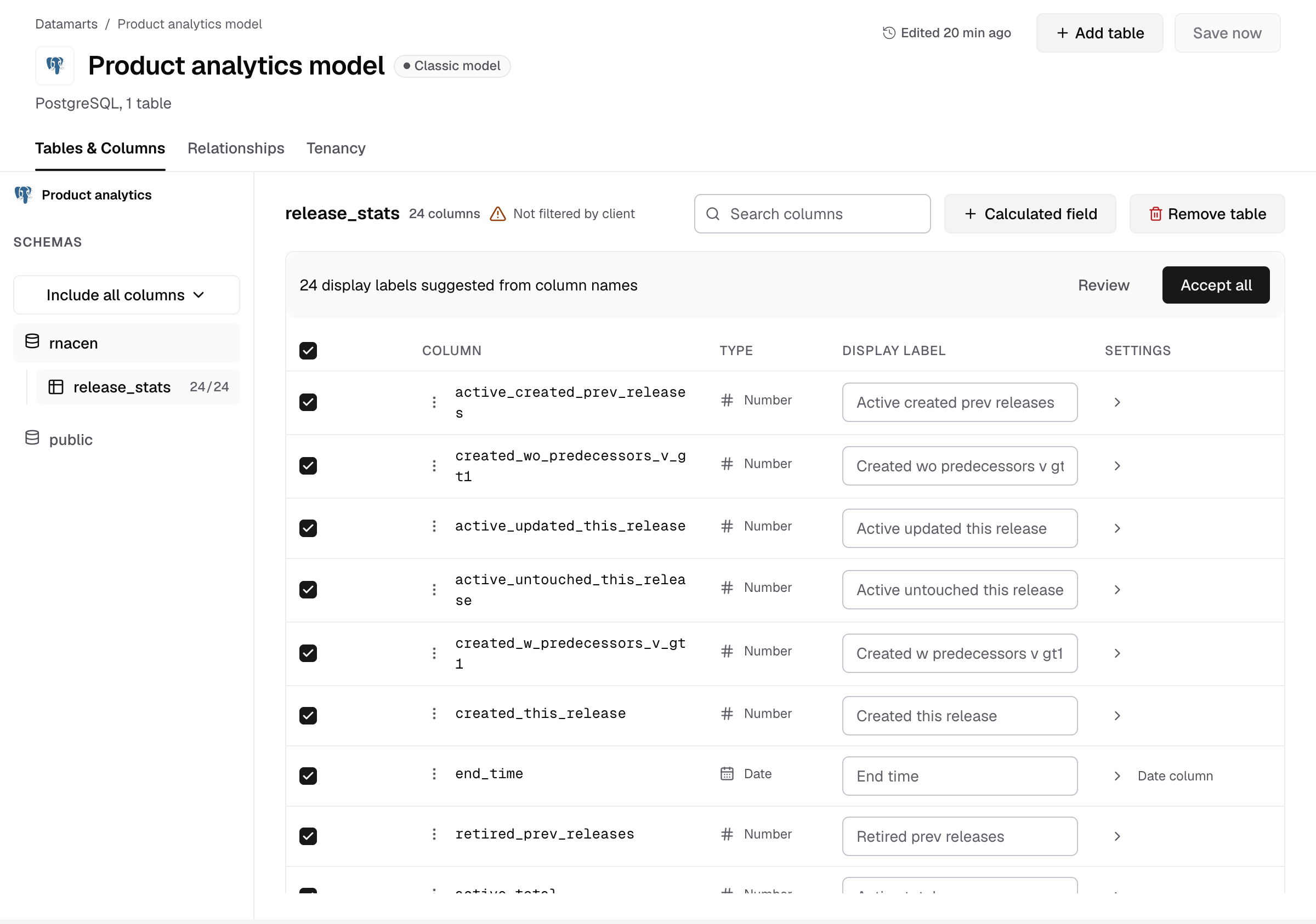
What a datamart holds
| Part | What it decides | Where you set it |
|---|---|---|
| Tables and columns | What people can query, with labels, aliases and default sorting | Tables & Columns |
| Relationships | How tables join | Relationships |
| Tenancy | Which rows belong to which customer: Table-level (a client column) or Schema / database-level | Tenancy |
| Descriptions | What tables and columns mean, so Bryn and your team pick the right fields | The description page. See Describe tables and columns |
Datamarts and semantic models
Databrain shows one of two names in Data Studio, depending on your company:
- Datamarts and Model status. You build a datamart in four steps: pick tables, choose columns, connect tables, scope data per customer. The datamart shows as Classic model.
- Semantic Models. New companies see this list. You build a model in the semantic studio, alone or with Bryn, and publish it when its checks pass. The list shows Never published or Published.
Both are the same kind of object. Both feed workspaces and embeds, and both hold tenancy.
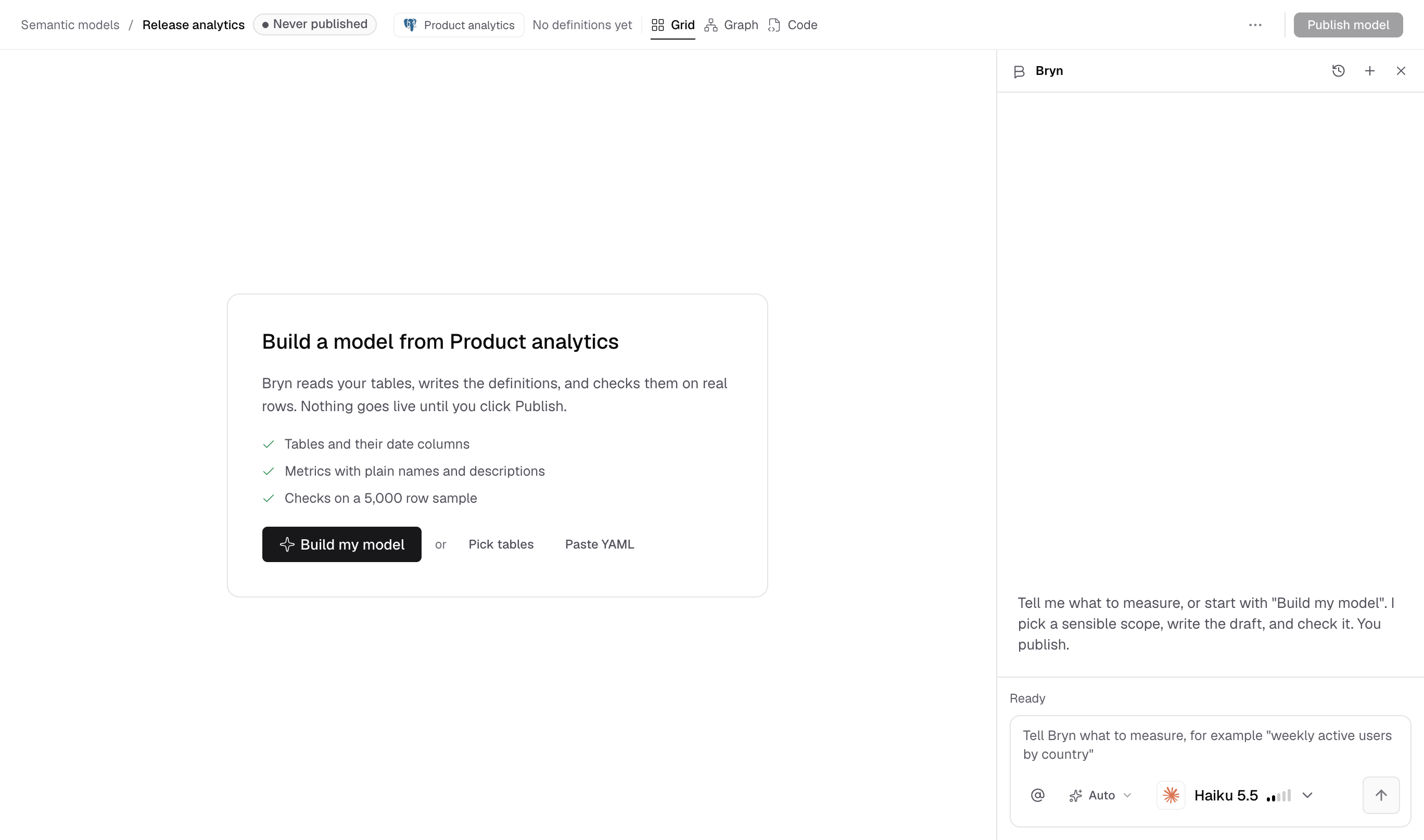
When to use one
- You embed dashboards for customers. The datamart’s tenancy scopes every embedded query to one customer. Its tenancy wins over the datasource’s.
- Your warehouse has many tables. Expose only the ones people need, with clear names.
- You use Bryn. Descriptions and synonyms tell Bryn which fields to use.
Create one
Before you start, you need a connected datasource, and you must be an Admin or a Developer, or have the datamart Create permission.
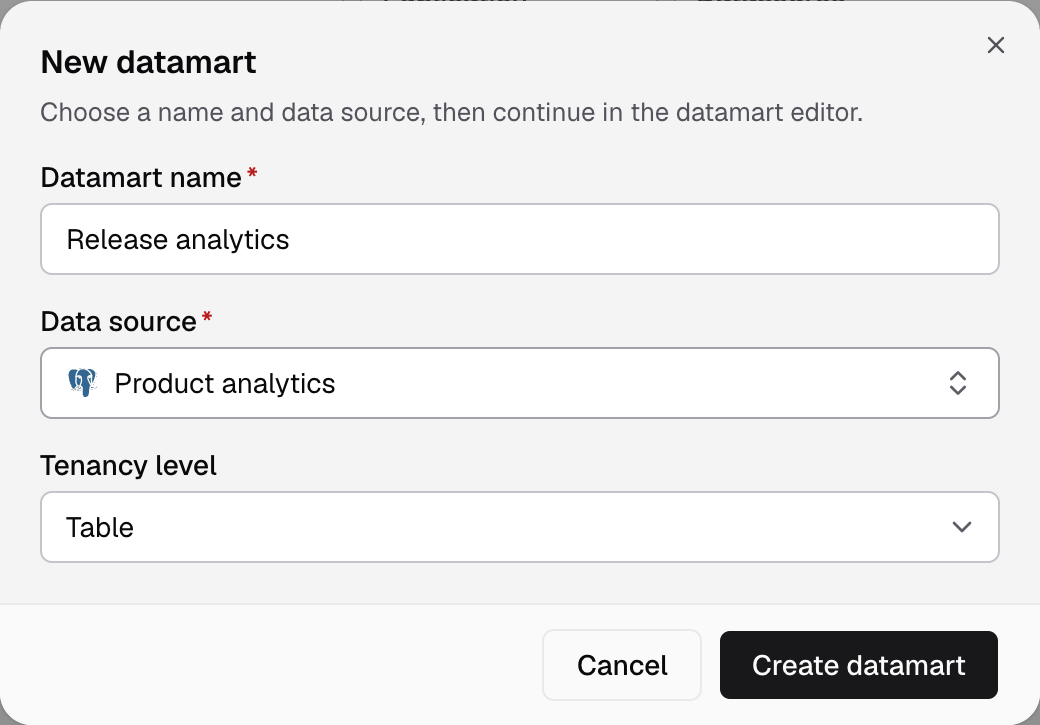
- Go to Data Studio > Datamarts and select New datamart.
- Enter a Datamart name, select the Data source and check the Tenancy level.
- Select Create datamart, then follow the four steps in the editor.
Full steps: Create a datamart. With Semantic Models: Create a semantic model.
Next steps
- Set tenancy on a datamart before you embed.
- Create a workspace that reads from the datamart.