

Tenancy
Set tenancy on a datamart
Map each datamart table to your customers, so embedded dashboards show each customer only their rows.
A datamart’s tenancy wins over its datasource’s tenancy. Set it before you embed dashboards for customers.
Before you start
- You are an Admin or a Developer, or your role has the datamart View and Edit Tenancy permissions. Edit alone is not enough.
- You have a datamart.
Steps
-
Go to Data Studio > Datamarts and open the datamart. If your company uses Semantic Models, go to Data Studio > Semantic Models and select the shield icon (Add tenancy or Edit tenancy) in the model’s row.
-
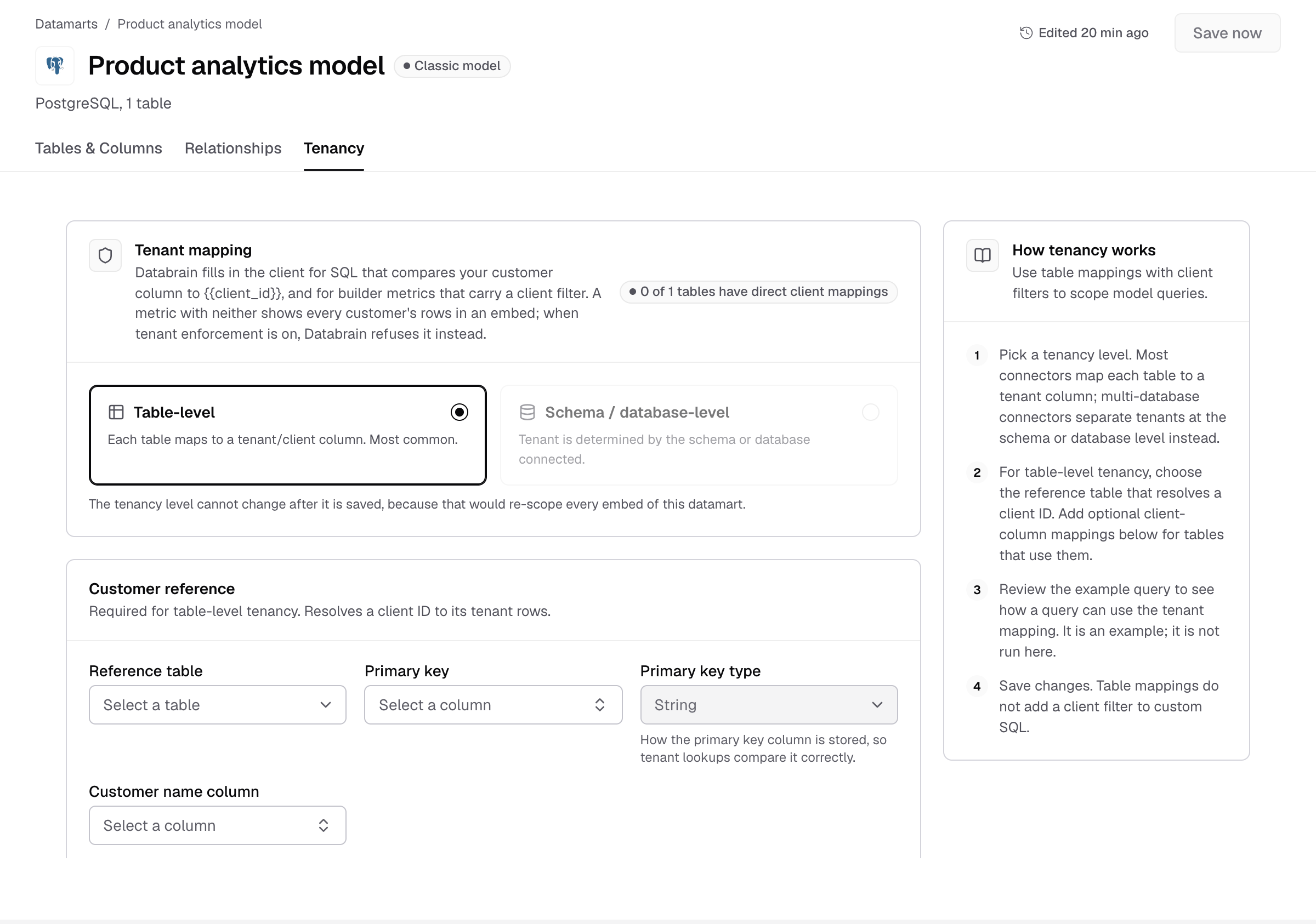
Select the Tenancy tab.

Tenancy is the third tab of the datamart. -
Under Tenant mapping, select Table-level or Schema / database-level.
-
For Table-level, fill in Customer reference:
- Reference table: the table with one row per customer.
- Primary key: the column that identifies a customer.
- Primary key type:
StringorNumber, as the column is stored. - Customer name column: the column with the customer’s name.
-
Under Table to tenant column mapping, select a column in Select tenant column for each table that has a client column. Tables without one keep No direct mapping.
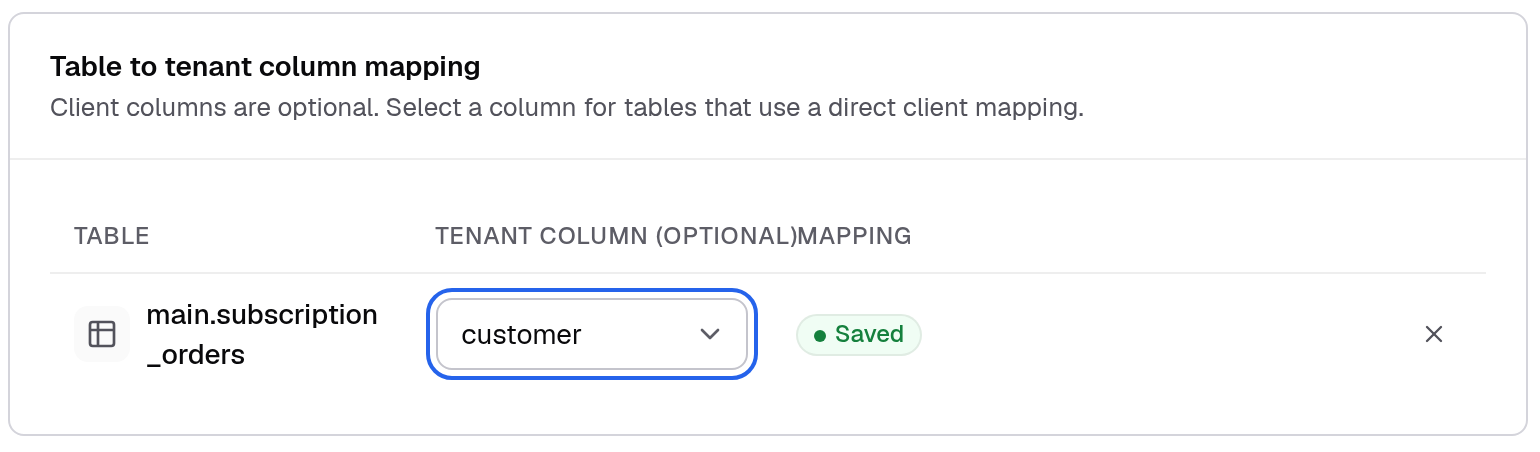
Each table with a client column maps to it. A saved mapping shows Saved. -
Check Example tenant query. It shows the join Databrain adds for each guest token. It is an example, not a query that has run.
-
Select Save now.

Save now is at the top right of the datamart.
For Schema / database-level, the Schema / database mapping section shows that each customer’s rows come from the schema or database connected to that customer.
The tenancy level cannot change after you save it, because that would re-scope every embed of this datamart. To use another level, create a new datamart.
What the mapping does
- Databrain fills in the client for SQL that compares your customer column to
'client_id_variable', and for builder metrics that carry a client filter. - A metric with neither shows every customer’s rows in an embed. When tenant enforcement is on, Databrain refuses it instead.
- Table mappings do not add a client filter to custom SQL. Add the filter to your SQL yourself, for example
WHERE customer = 'client_id_variable'.
If something goes wrong
- Table-level is greyed out. The connector spans multiple databases. Use Schema / database-level.
- Schema / database-level is greyed out. The connector has no schemas to map. Use Table-level.
- Cannot remove a table because tenancy settings use it. Change the tenancy settings first, then remove the table.