

Dashboards
Save filter views as boards
Save a set of dashboard filter values under a name, and switch back to it in one step.
A board is a saved set of dashboard filter values, with a name. It does not change the dashboard or its layout.
Before you start
- The dashboard has at least one dashboard filter.
- To turn boards on, you need the dashboard Edit permission. Admins and Editors have it.
Turn on boards
-
Open the dashboard.
-
Select ... (Dashboard settings and more).
-
Select Enable board.
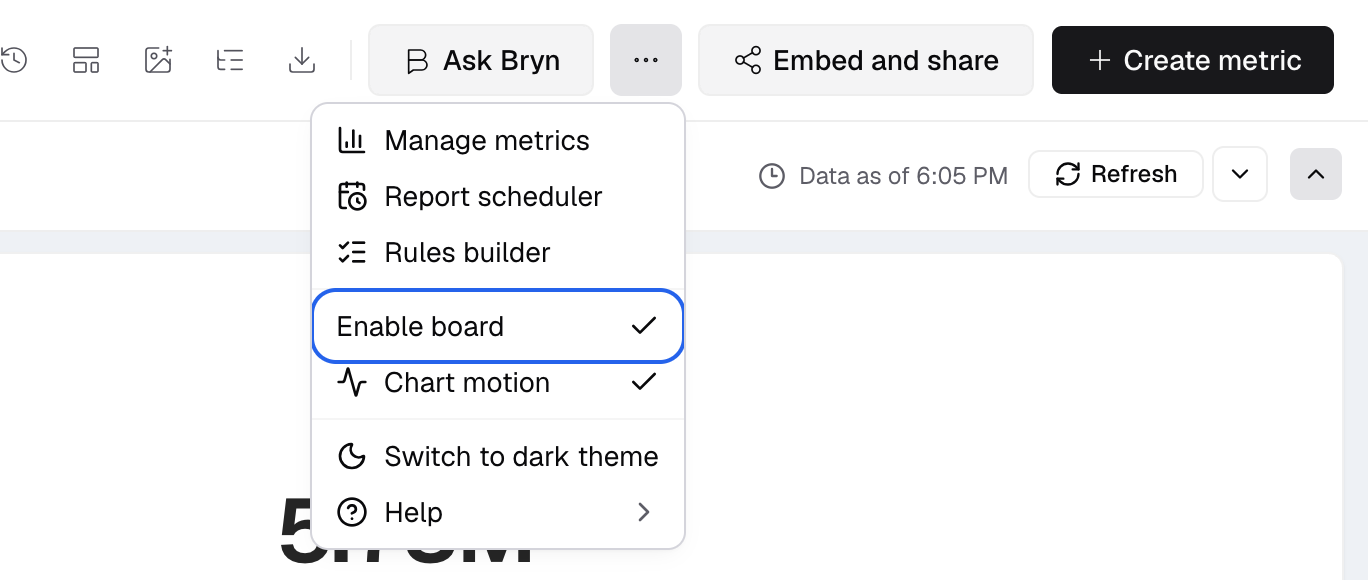
Enable board is in the Dashboard settings and more menu.
The filter bar now shows a Board list. Before you save a board, the dashboard uses its default filter values.
Save a board
-
Set the dashboard filters to the values you want to keep.
-
Open the Board list and select Add Board.
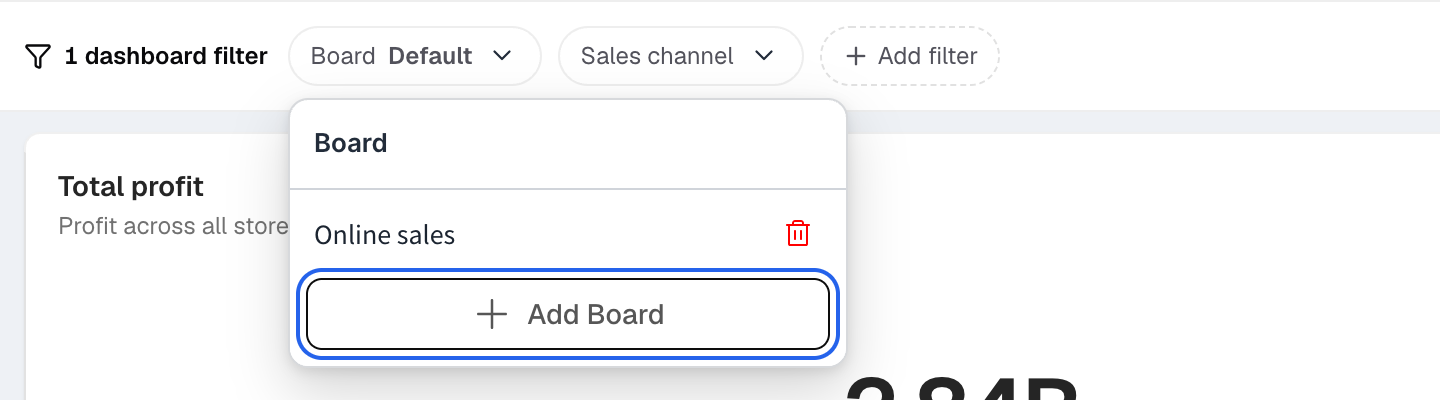
Add Board is at the bottom of the Board list. -
In Save as New Board, enter a Board Name, for example
Q1 Sales - West. -
Select Save Board.
The Board list shows your saved boards and Add Board. When a saved board is picked, it also shows Reset to default. There is no separate default row. Pick a board any time to get its filter values back. The picker then shows Board and the board name. Select Reset to default to go back to the default values.
Who sees a board
- A board that you save without a client picked is shared with every client.
- A board that a client saves is seen only by that client.
- To let embed viewers save boards, turn on Create boards in the access settings. See Share a dashboard preview.
Delete a board
-
Open the Board list.
-
Select the delete icon next to the board.
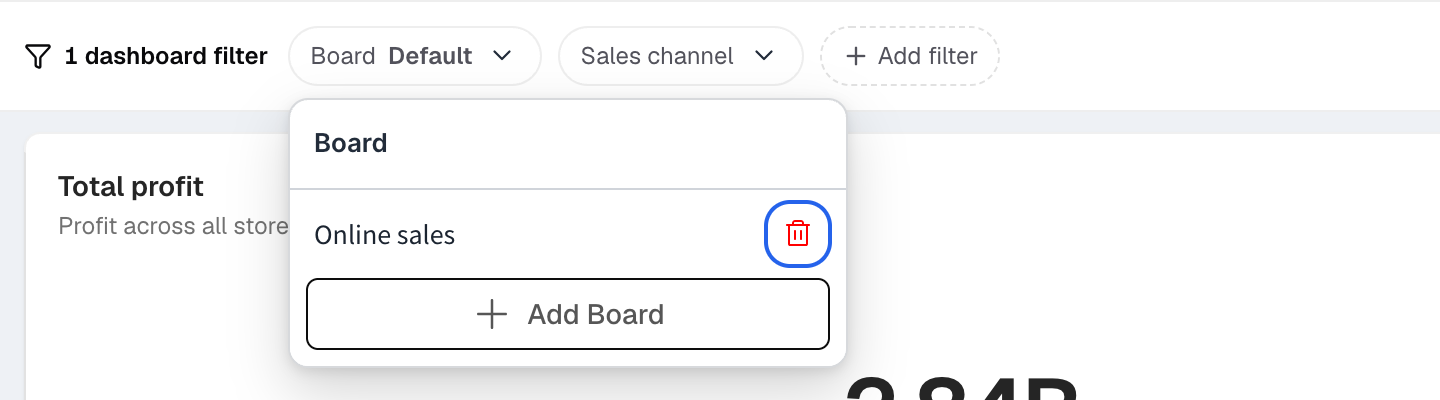
The delete icon sits at the right of each saved board. -
Confirm in Delete Board.
The saved filter values are deleted. The dashboard does not change. You can delete only boards that you saved.
If something goes wrong
- Enable board is off. Add a dashboard filter first.
- Add Board is off. The filter values match a board you already saved. Change a filter first.
- A view with this name already exists. Enter a different Board Name.