

Dashboard filters
Filter a dashboard on an SQL expression
Use Custom LHS SQL and Custom RHS SQL to filter on an expression instead of a plain column.
A dashboard filter builds a condition: column, operator, value. With Custom SQL on, you write the two sides yourself:
<Custom LHS SQL> <operator> <Custom RHS SQL>- Custom LHS SQL (left side) takes the place of the column. It is required.
- The operator comes from the Filter Variant:
=for Single-Select,INfor Multi-Select,LIKEfor Search. - Custom RHS SQL (right side) takes the place of the value. It is optional. Put
{{global_selected_values}}where the picked value goes.
Before you start
- You are an Admin or Editor.
- You know the SQL dialect of your datasource.
Steps
-
Open the dashboard and select Add filter.
-
Fill in Step 1 of 2: Filter values and select Next. See Create a dashboard filter.
-
In Step 2 of 2: Apply filter, set Target to Apply on.
-
Pick the Dataset.
-
Turn on Custom SQL.
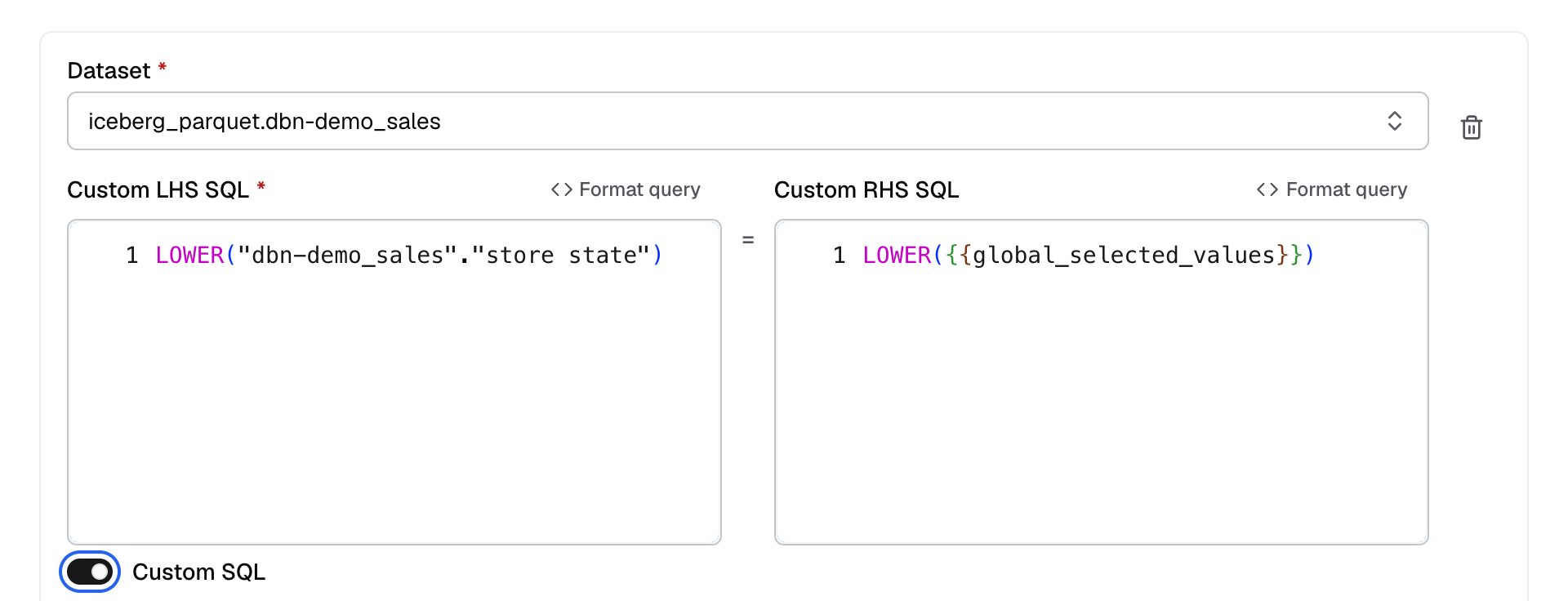
Custom SQL is under the column picker; it swaps the column for two SQL boxes. -
In Custom LHS SQL, enter the expression, for example
LOWER(customers.region).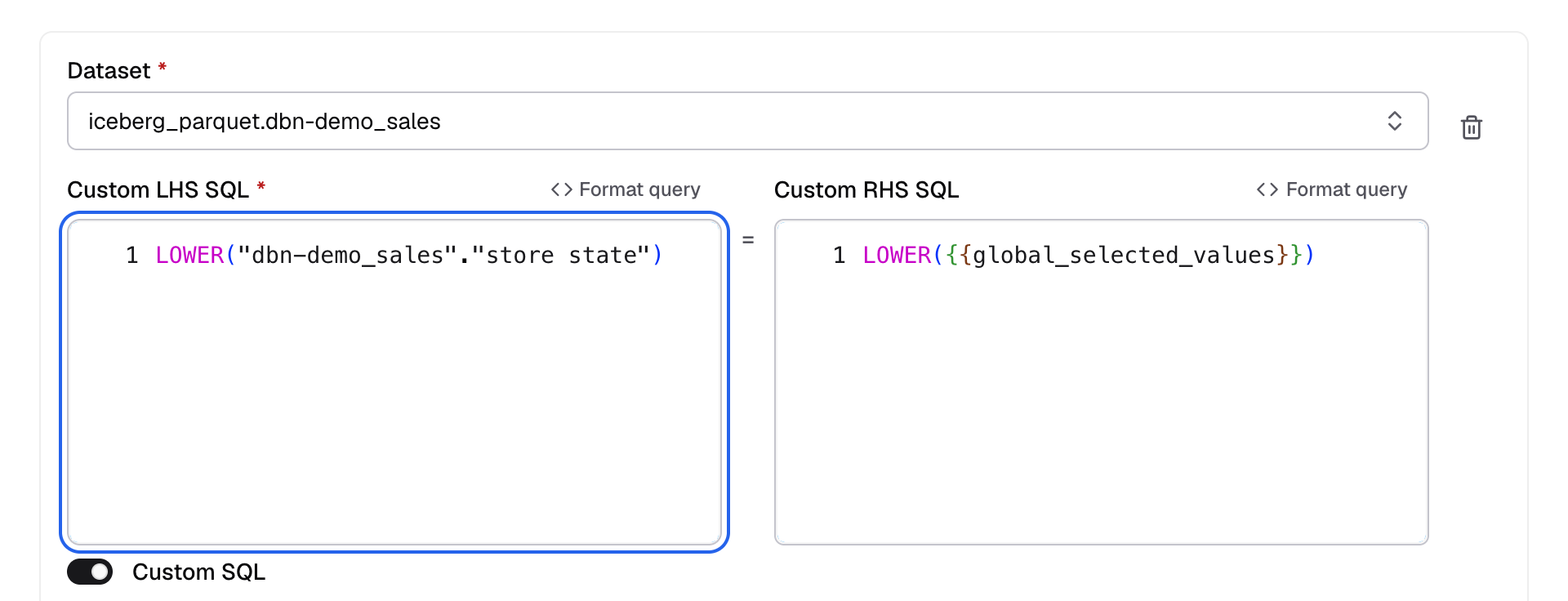
Custom LHS SQL takes the place of the column. -
Optional: in Custom RHS SQL, enter the value side, for example
LOWER({{global_selected_values}}).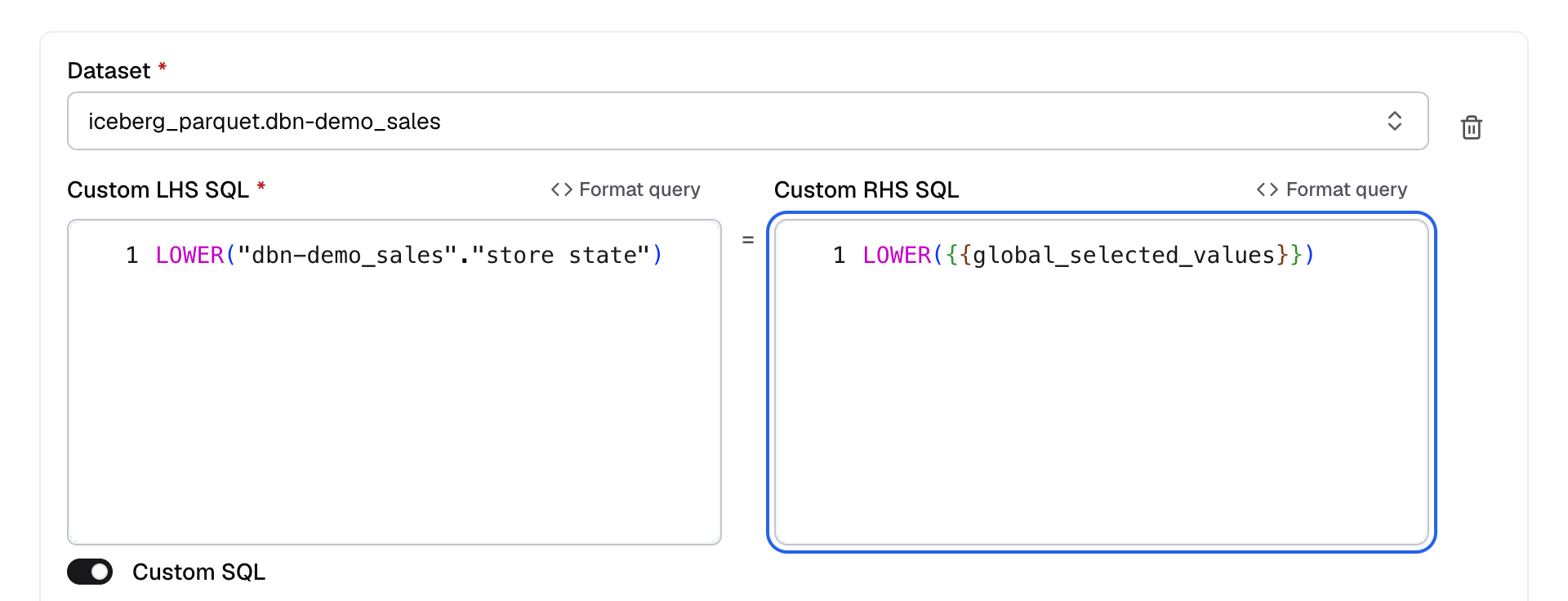
Custom RHS SQL takes the place of the value. -
Select Save.
With those two values, a viewer who picks West gets this condition:
LOWER(customers.region) = LOWER('West')How values are put in
- Single-Select:
{{global_selected_values}}becomes one quoted value, for example'West'. - Multi-Select: it becomes a list, for example
('West', 'East'). If nothing is picked, the condition is1 = 0and no rows match. - No RHS: the picked value is used as it is.
null: a pickednullbecomesIS NULL.
Databrain quotes and escapes every value. A viewer’s value is never run as SQL.
If something goes wrong
- No rows match. Test the expression in your datasource with a known value, then check the quotes in your RHS.
To put a value inside the metric SQL instead, see Pass a dashboard filter into metric SQL.